Recently WordPress launched the WordPress playground – a serverless version of WordPress that runs inside a browser. This is, by itself, pretty neat.
More than that though, the playground offers an easy way to try out WordPress themes and plugins without worrying about the hassle of setting up a site themselves. Users can do that themselves, by constructing URLs to automatically launch the playground with certain plugins installed, or manually installing them once the playground has launched but it’s not that straightforward.
The great news is that the WordPress.org plugin directory also supports easily “Live Previews” for plugins using the WordPress playground.
The process is opt-in at the moment, but if a plugin author has opted in to Live Previews, then you’ll see a button to launch the preview right on the plugin page on WordPress.org. Here’s what it looks like for the Say What? string replacement plugin which is opted in to Live Preview.
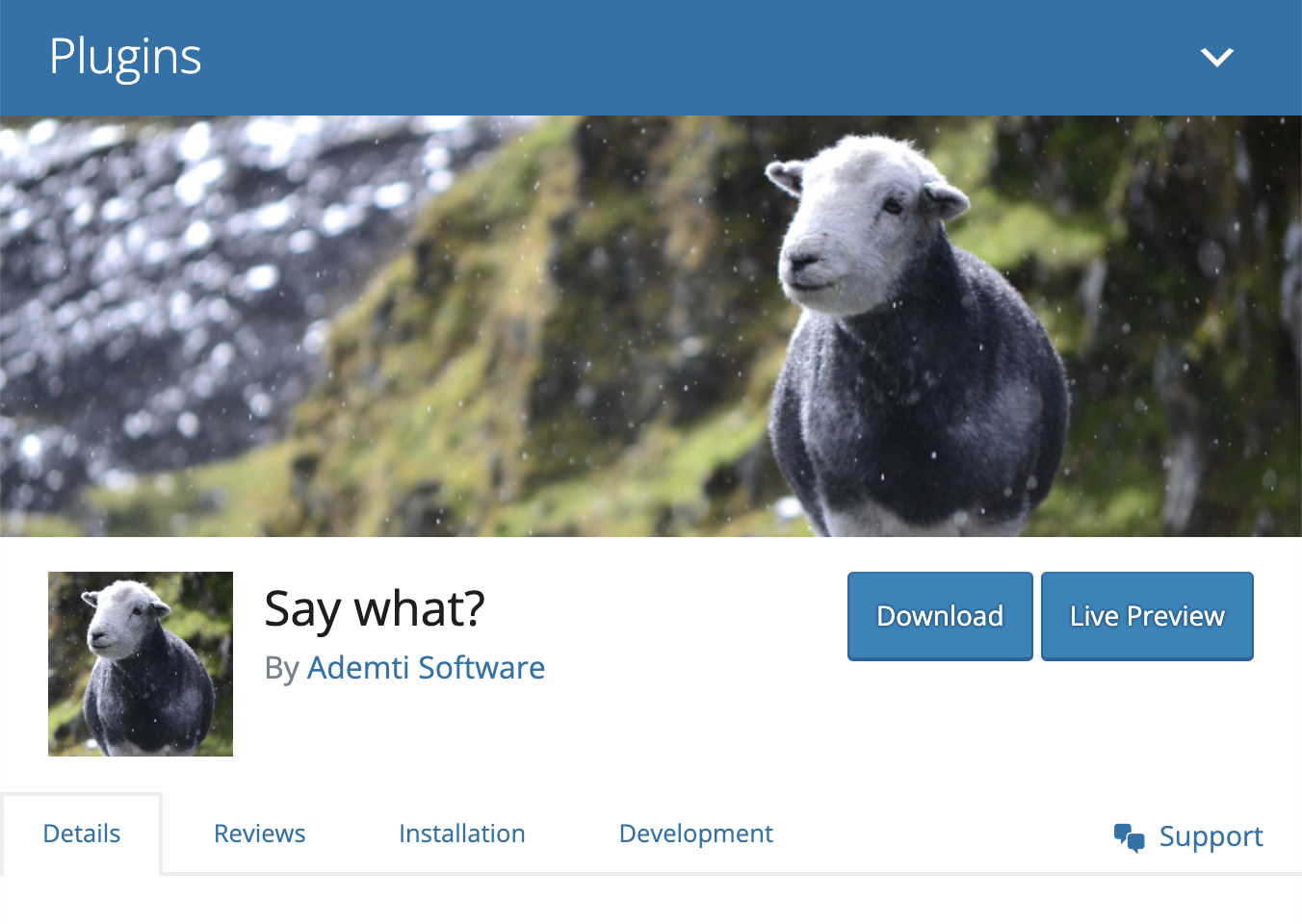
The WordPress.org plugin directory implementation is driven by ‘blueprints’. These offer a way for plugin authors to configure how the playground will be launched by providing a simple JSON file.
WordPress.org will generate a default blueprint.json file for you as a starting point to opting in to Live Previews. That blueprint will install WordPress, and the selected plugin automatically. Here’s what a default blueprint.json looks like for the Say What? plugin:
{
    "landingPage": "\/wp-admin\/plugins.php",
    "preferredVersions": {
        "php": "8.0",
        "wp": "latest"
    },
    "phpExtensionBundles": [
        "kitchen-sink"
    ],
    "features": {
        "networking": true
    },
    "steps": [
        {
            "step": "installPlugin",
            "pluginZipFile": {
                "resource": "url",
                "url": "https:\/\/downloads.wordpress.org\/plugin\/say-what.2.2.2.zip"
            },
            "options": {
                "activate": true
            }
        },
        {
            "step": "login",
            "username": "admin",
            "password": "password"
        }
    ]
}
For many plugins this may well be sufficient. It will install the latest WordPress release, install and activate the plugin and login the user with the default admin user.
However, plugin authors can add additional steps to the blueprint before making it available to users. The blueprint can install other themes, plugins, define PHP functions, or run custom PHP. You can run SQL queries, import dummy content using the WordPress importer and even run WP-CLI commands.
In our case, to show off what the Say What? plugin can do, we’d like to launch the preview straight to the plugin’s admin page, with a number of example replacements set up.
We could do that by running custom PHP, or SQL queries in the blueprint, however in order to keep the blueprint as simple as possible we decided to use the WP-CLI import command that the plugin already makes available.
Here’s how you’d normally use it to import a set of replacements from a CSV file:
$ wp say-what import my-replacements.csvThe question is though – how do we pass our ‘sample data’ file to the playground?
I tried a few different approaches – initially assuming that the playground would have access to the files from the WordPress.org plugin’s ‘assets/blueprints’ folder which is where the blueprint.json file lives. That isn’t the case though. The playground is passed your blueprint.json file, but beyond that it’s a completely standalone instance.
It wasn’t initially too clear from the docs how to run a WP-CLI command that accepted a file as input, but a GitHub issue asking the question led to an excellent answer from Adam Zielinski (the creator of the WordPress playground) showing just how easy it can be.
Your blueprint.json can specify a ‘writeFile’ step which can take an external URL as the source, and will write out the file somewhere that your subsequent steps can access.
So, here’s the two steps I ended up adding to the Say What? blueprint.json file:
 {
     "step": "writeFile",
     "path": "\/wordpress\/sample-replacements.csv",
     "data": {
         "resource": "url",
         "url": "https:\/\/raw.githubusercontent.com\/leewillis77\/say-what\/sample-replacement-branch\/sample-replacements.csv"
     }
 },
 {
     "step": "wp-cli",
     "command": "wp say-what import \/wordpress\/sample-replacements.csv"
 }
In the first step, we pull down a file from GitHub*, and write it out as ‘wordpress/sample-replacements.csv’. In the second step we run our WP-CLI command and pass it the filename of the downloaded file, and everything works as normal.
* Note: It would be nice to pull this from the wordpress.org repo, but there are some restrictions on where resources can be fetched from around CORS headers, which the wordpress.org repo doesn’t currently support – hopefully that will be fixed in the future.
If you want to see the full blueprint.json file for Say What? you can see it here.
Want to see the live preview in action – simply hit the Live Preview link on the plugin’s wordpress.org page, or click here to launch it directly.





 There’s nothing to say that new software is bad. However, new software is often subject to change, which can make extra work for you as integration / usage changes – or worse make you stick with an old version to avoid the pain.
 This covers a few things, and as ever there are a few different ways to measure it. If the commit history is available, I’d look at how recent the latest commits are, and how sporadic they are. Of course – no recent commits isn’t always a bad thing – stable software doesn’t necessarily need changing regularly. I’d also look at issues raised against the project (if that’s available), to see if issues are responded to, and/or worked on. For GitHub repos, I’d look at outstanding pull-requests to see if they are merged and/or responded to.
 This looks at whether there are releases firstly – I’d hesitate to depend on a project from which you alway just had to go with an arbitrary commit as the version you’re using.